You want to build an app that runs on Android, iOS, and the web. You meet three doors: Flutter, React Native, and Kotlin Multiplatform (KMP).
These three doors are not the same kind of answer.
1. The developer who wants cross-platform
Most developers come from a specific platform. You might be an Android developer who knows the Java runtime, an Apple developer who knows Mach-O binaries and frameworks, a system programmer who knows ELF and PE files, or a web developer who knows JavaScript engines.
When you look for “cross-platform,” you are looking for a way to write your logic once and run it everywhere. Cross-platform development is the practice of writing a single codebase that can be deployed across multiple different operating systems or hardware architectures.
But the word “multiplatform” means something different to each of you. To a web developer, it might mean “runs in any browser.” To a system programmer, it might mean “compiles for x86 and ARM.” To an Android developer, it might mean “runs on both Android and iOS.”
Because we all start from different places, we cannot talk about the solution until we agree on what the problem is. We need a common vocabulary to describe how code actually reaches a device and what happens when it gets there.
2. Common ground: machine, virtual machine, target, artifact
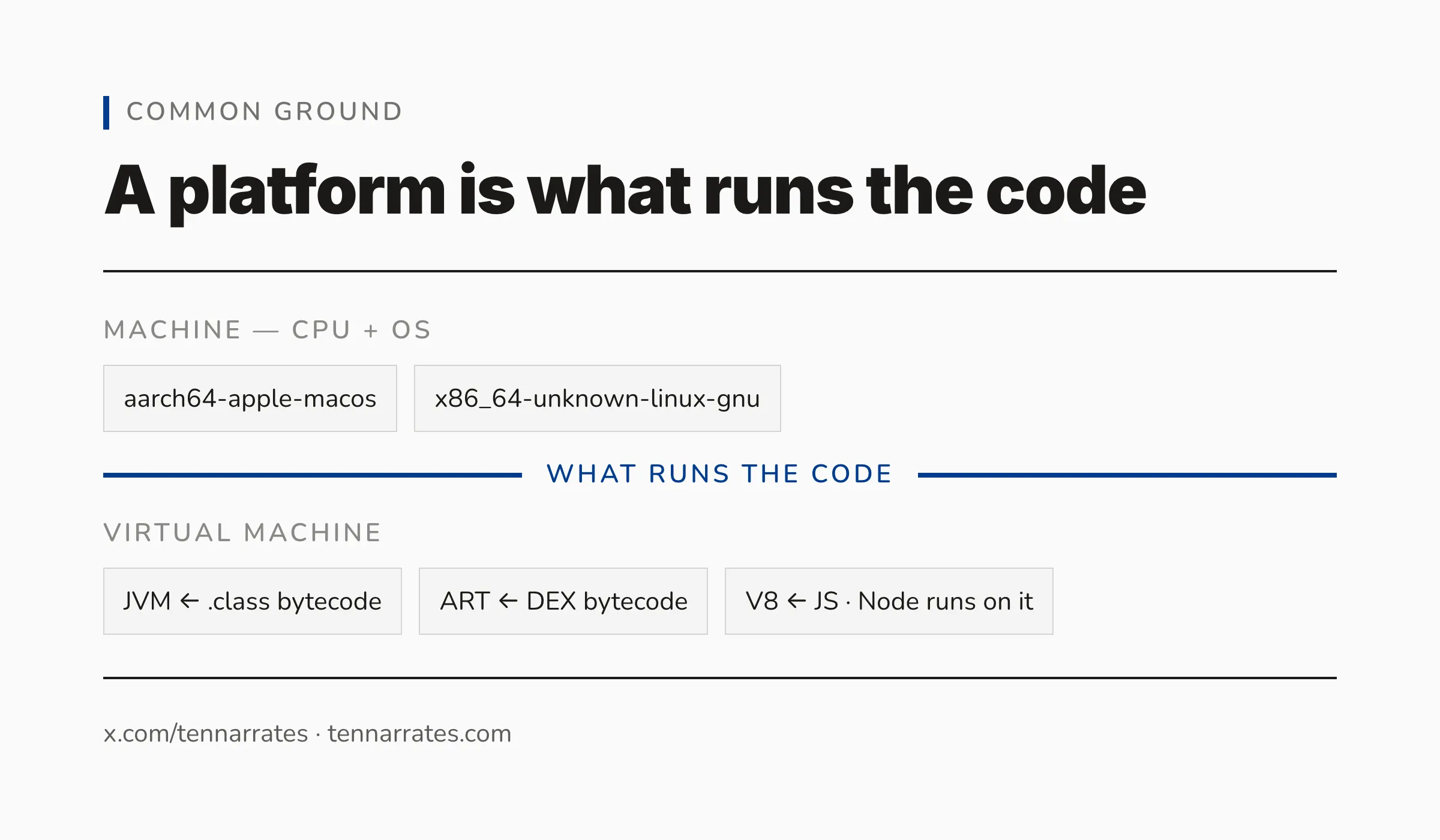
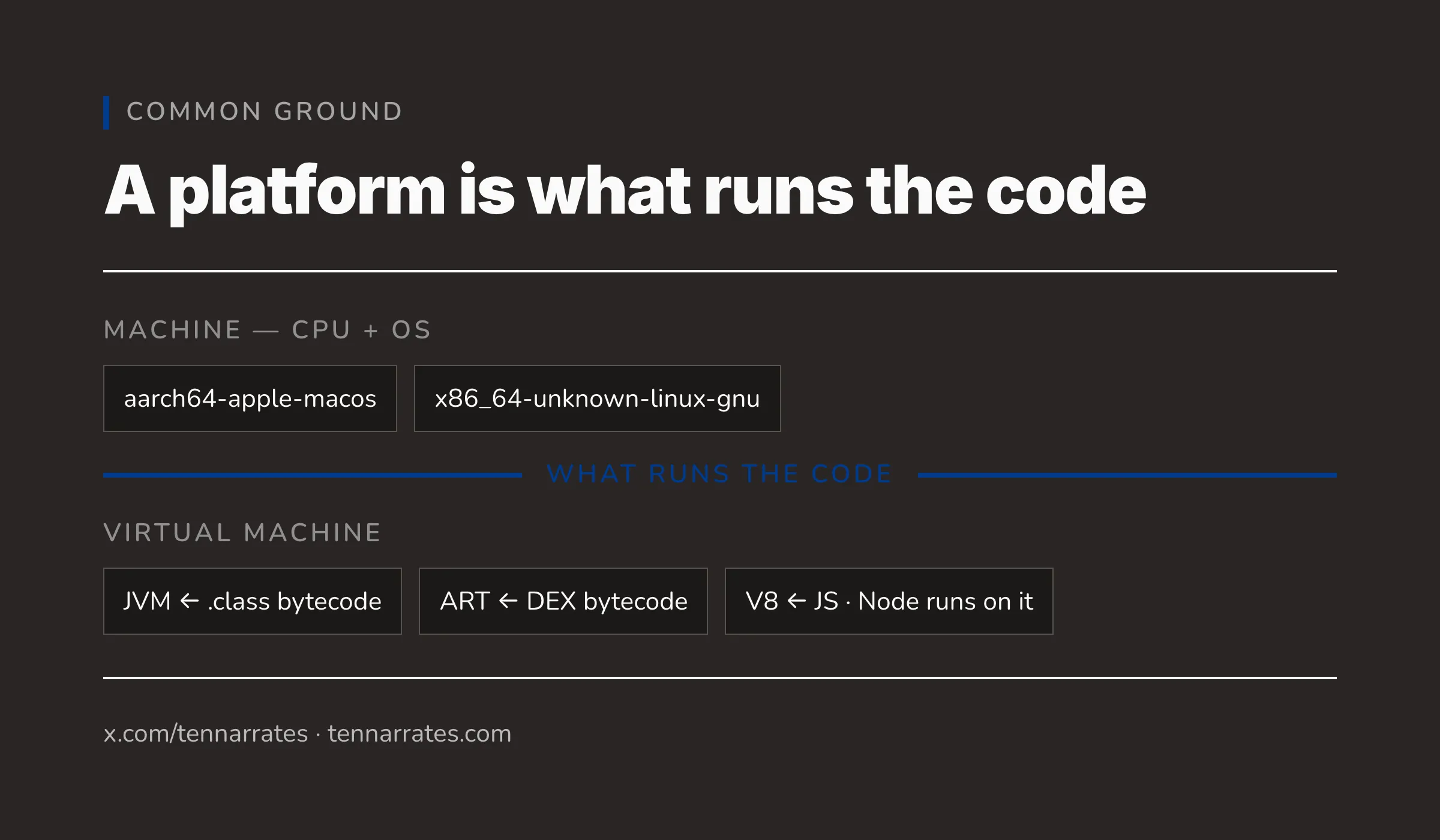
To understand the difference between the three doors, we first need a common ground. The most important realization is this: a platform is simply what runs the code.
When we talk about platforms, we are usually talking about one of two things: a machine or a virtual machine.
A machine is a combination of a CPU (the hardware) and an Operating System (the software that manages the hardware). We call these “machines” to distinguish them from virtualized environments. A machine is typically identified by a “target triple”—a name that combines the architecture and the OS. For example, aarch64-apple-macos describes an ARM64 processor running macOS, while x86_64-unknown-linux-gnu describes an x86_64 processor running Linux.
A virtual machine (VM) is an abstract computing machine. It is a piece of software that acts like hardware, providing its own instruction set that is independent of the physical CPU. For example, the Java Virtual Machine (JVM) is a VM. It does not run machine code directly; instead, it runs .class bytecode. The Android Runtime (ART) is another VM that executes DEX bytecode. Even the V8 engine, which powers Google Chrome and Node.js, is a virtual machine that executes JavaScript.
WebAssembly (Wasm) is another example. It is a binary instruction format for a stack-based virtual machine, designed to be a portable compilation target for many different languages.
In this vocabulary, a target is a platform we aim a build at. When a developer says “I am targeting iOS,” they mean they are configuring their compiler to produce code that the iOS platform understands.
When we target a platform, the compiler produces an artifact. An artifact is the final file (or bundle of files) that the platform actually executes. If the target is the JVM, the artifact is a .jar file. If the target is Windows, the artifact is a .dll or .exe file.
3. The four lenses: who is doing KMP
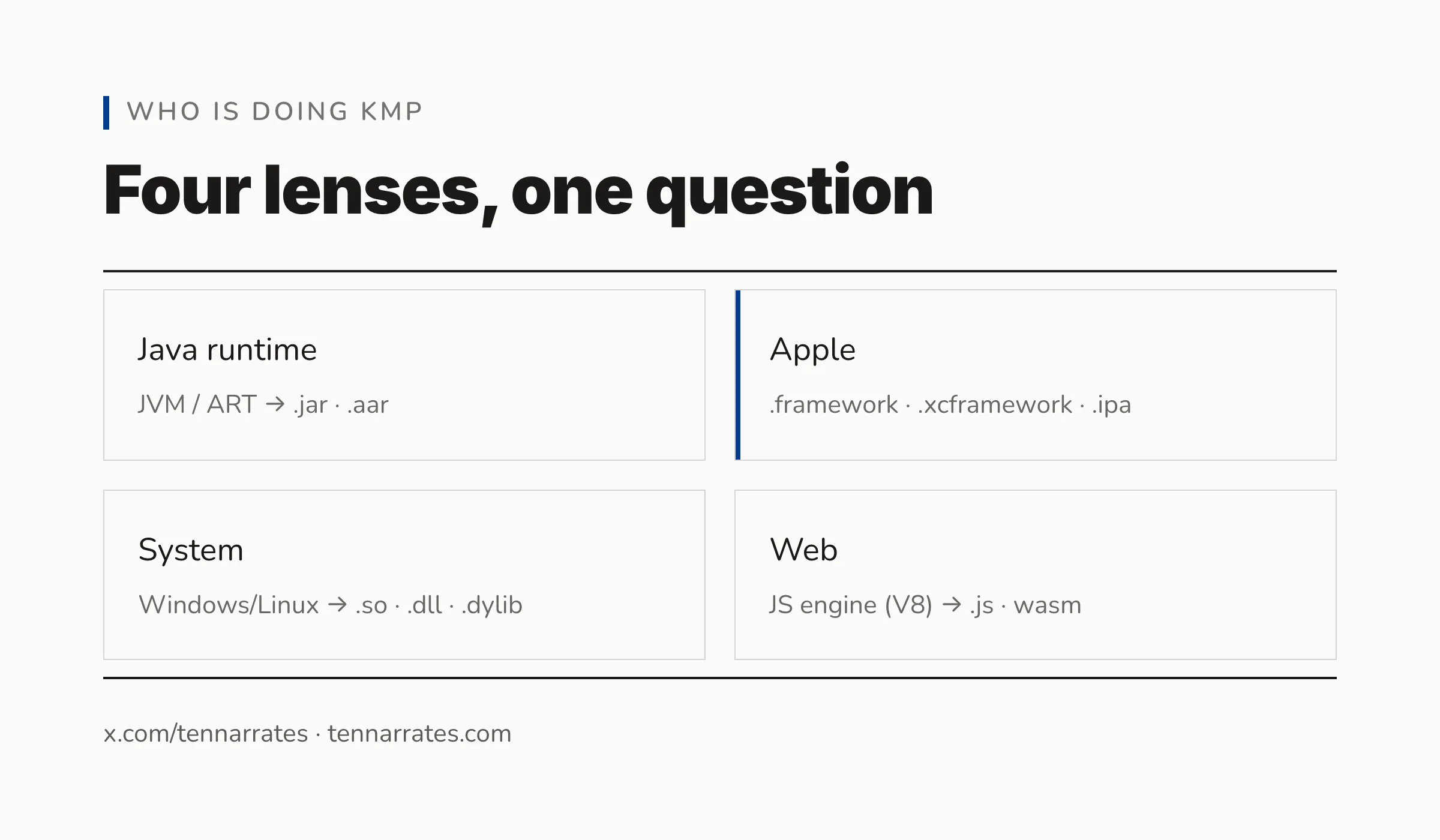
If you are starting with Kotlin Multiplatform, you are likely coming from one of four lenses. Each lens has a different expectation of what an “artifact” looks like.
The first lens is the Java runtime. If you are an Android or backend Java developer, you think in terms of the JVM. Your artifacts are .jar files (which are just zip archives of .class files) or .aar files (Android Archives, which contain the manifest and the classes).
  $ unzip -l build/libs/what-is-multiplatform-jvm.jar
  Archive:  build/libs/what-is-multiplatform-jvm.jar
    Length      Date    Time    Name
  ---------  ---------- -----   ----
           0  02-01-1980 00:00   META-INF/
          25  02-01-1980 00:00   META-INF/MANIFEST.MF
        1220  02-01-1980 00:00   GreetKt.class
         499  02-01-1980 00:00   Platform_jvmKt.class
          53  02-01-1980 00:00   META-INF/what-is-multiplatform.kotlin_module
  ---------                     -------
        1797                     5 files

  $ unzip -l build/outputs/aar/what-is-multiplatform-release.aar
  Archive:  build/outputs/aar/what-is-multiplatform-release.aar
    Length      Date    Time    Name
  ---------  ---------- -----   ----
           0  02-01-1980 00:00   R.txt
         217  02-01-1980 00:00   AndroidManifest.xml
        1652  02-01-1980 00:00   classes.jar
         156  02-01-1980 00:00   META-INF/com/android/build/gradle/aar-metadata.properties
  ---------                     -------
        2025                     4 files
The second lens is the Apple ecosystem. If you are an iOS or macOS developer, you work with Mach-O binaries. Your artifacts are .framework or .xcframework bundles. These are not single files, but directories that contain the binary, a module map, and often header files. When you ship an app, these are packaged into an .ipa file.
  $ file libdemo.dylib libdemo.a
  libdemo.dylib: Mach-O 64-bit dynamically linked shared library arm64
  libdemo.a:     current ar archive random library

  $ xcodebuild -create-xcframework -library libdemo.dylib -output demo.xcframework
  xcframework successfully written out to: /private/tmp/apple-artifacts/demo.xcframework

  $ find demo.xcframework -type f
  demo.xcframework/macos-arm64/libdemo.dylib
  demo.xcframework/Info.plist

  $ file Demo.framework/Demo        # dylib placed in the bundle layout
  Demo.framework/Demo: Mach-O 64-bit dynamically linked shared library arm64

  $ file MyApp.ipa                  # zip of a .app bundle
  MyApp.ipa: Zip archive data, at least v1.0 to extract, compression method=store
The third lens is system programming. If you write C or C++, you care about the binary format of the OS. On Linux, you produce ELF files (often with a .so extension for shared objects). On Windows, you produce PE (Portable Executable) files, such as .dll files. On macOS, you produce .dylib files.
  $ file build/bin/mingwX64/debugShared/what_is_multiplatform.dll \
         build/bin/linuxX64/debugShared/libwhat_is_multiplatform.so
  build/bin/mingwX64/debugShared/what_is_multiplatform.dll:      PE32+ executable (DLL) (GUI) x86-64, for MS Windows
  build/bin/linuxX64/debugShared/libwhat_is_multiplatform.so:    ELF 64-bit LSB shared object, x86-64, version 1 (SYSV), dynamically linked, BuildID[sha1]=23f87243221f7b4022ca208d9c08046fe320342e, with debug_info, not stripped
The fourth lens is web development. You care about the JavaScript engine. Your artifacts are .js files or .wasm binaries. Whether the code runs in a browser or in a server-side environment like Node.js, the artifact is the same.
  > Task :jsNodeDevelopmentRun
  Hello from JavaScript
  BUILD SUCCESSFUL in 9s
The power of KMP is that it allows you to address all four of these lenses simultaneously. You do not write four different versions of your logic. Instead, you write one source of Kotlin code, and a single build process produces every one of these artifacts.
4. What KMP actually is
It is a common mistake to think of Kotlin Multiplatform as a framework, like Flutter or React Native. It is not. KMP is a compiler technology.
To understand how it works, we have to look at the architecture of the Kotlin compiler, known as K2. The process happens in three main stages.
First, the language frontend takes your Kotlin source code. It performs semantic analysis, resolves function calls, and infers types. This stage is the same regardless of where the code will eventually run.
Second, the frontend produces an Intermediate Representation (IR). The IR is a simplified, universal version of your code. It is the “common ground” inside the compiler.
Third, the IR is passed to a language backend. This is where the “multiplatform” part happens. KMP has different backends for different targets:
- The JVM backend emits JVM bytecode (
.classfiles). - The JS backend transpiles the IR into JavaScript.
- The Native backend uses LLVM to emit machine code for specific CPUs (like ARM64 or x86_64).
- The Wasm backend emits WebAssembly binary format.
Because each backend emits exactly what the target platform already speaks, Kotlin does not need to bring its own runtime to the party. As the documentation suggests, “Kotlin becomes one more language the platform understands.”
Consider a simple greeting function. You write it once in common code:
// src/commonMain/kotlin/Greet.kt
expect fun platformName(): String

fun greet(): String = "Hello from ${platformName()}"

fun main() {
    println(greet())
}
You define your targets in your build configuration:
// build.gradle.kts (targets)
kotlin {
    jvm()
    androidTarget()
    macosArm64()        // binaries { executable() }
    linuxX64()          // binaries { sharedLib() }
    mingwX64()          // binaries { sharedLib() }
    js(IR) { nodejs(); binaries.executable() }
}
When you run the build, the compiler produces a jar for the JVM, a kexe for macOS, and a js file for Node. All of them run the same logic:
  $ file build/bin/macosArm64/debugExecutable/what-is-multiplatform.kexe
  build/bin/macosArm64/debugExecutable/what-is-multiplatform.kexe: Mach-O 64-bit executable arm64

  $ java -cp build/libs/what-is-multiplatform-jvm.jar:<kotlin-stdlib-2.2.0.jar> GreetKt
  Hello from JVM

  $ ./build/bin/macosArm64/debugExecutable/what-is-multiplatform.kexe
  Hello from Kotlin/Native

  $ gradle jsNodeDevelopmentRun
  > Task :jsNodeDevelopmentRun
  Hello from JavaScript
If you inspect the JVM artifact using a tool like javap, you will see that it is ordinary JVM bytecode. There is nothing “special” or “foreign” about it.
  Compiled from "Greet.kt"
  public final class GreetKt {
    public static final java.lang.String greet();
    public static final void main();
    public static void main(java.lang.String[]);
      Code:
         0: invokestatic  #43                 // Method main:()V
         3: return
  }
5. Why KMP is multiplatform in the true sense
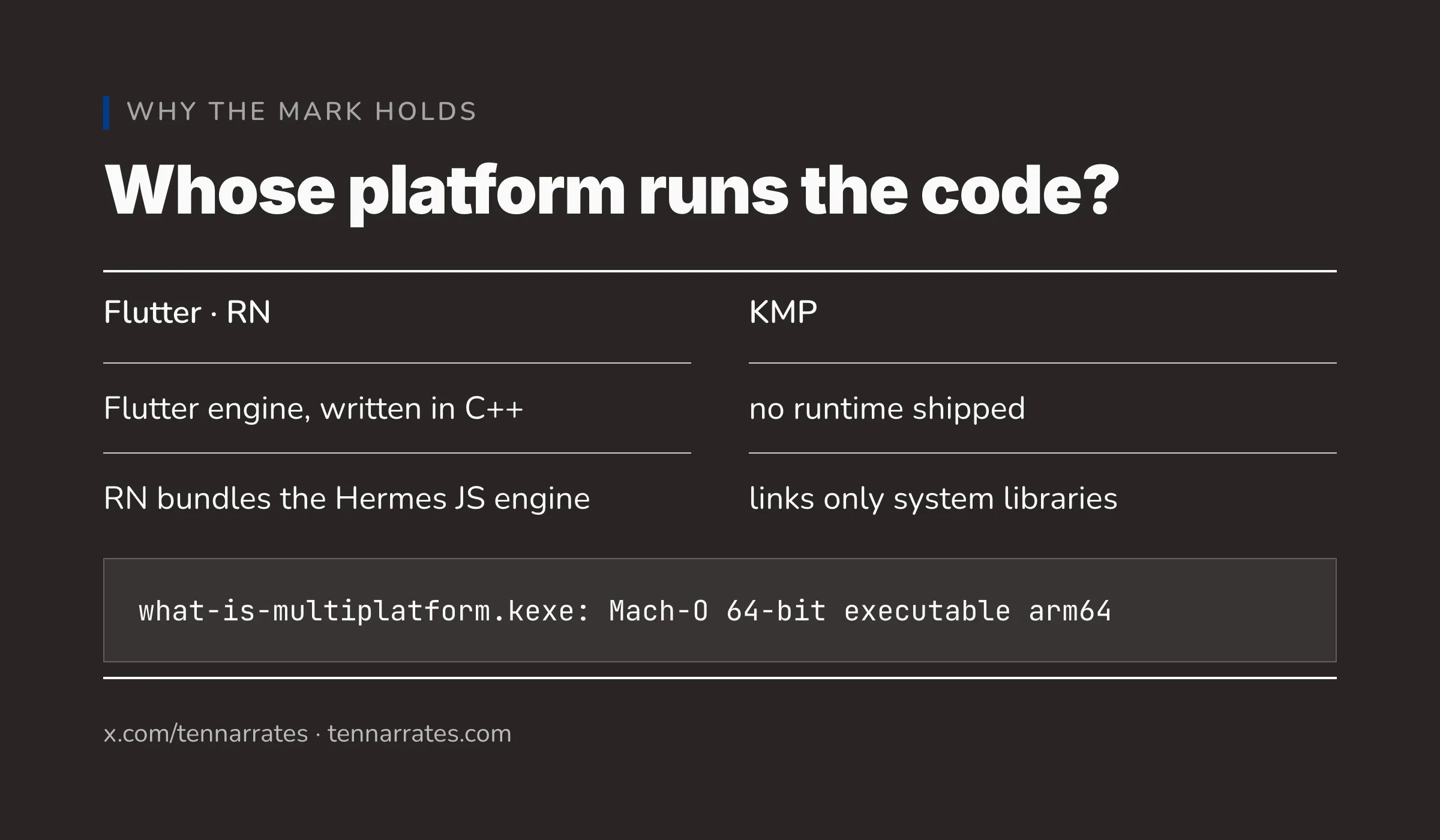
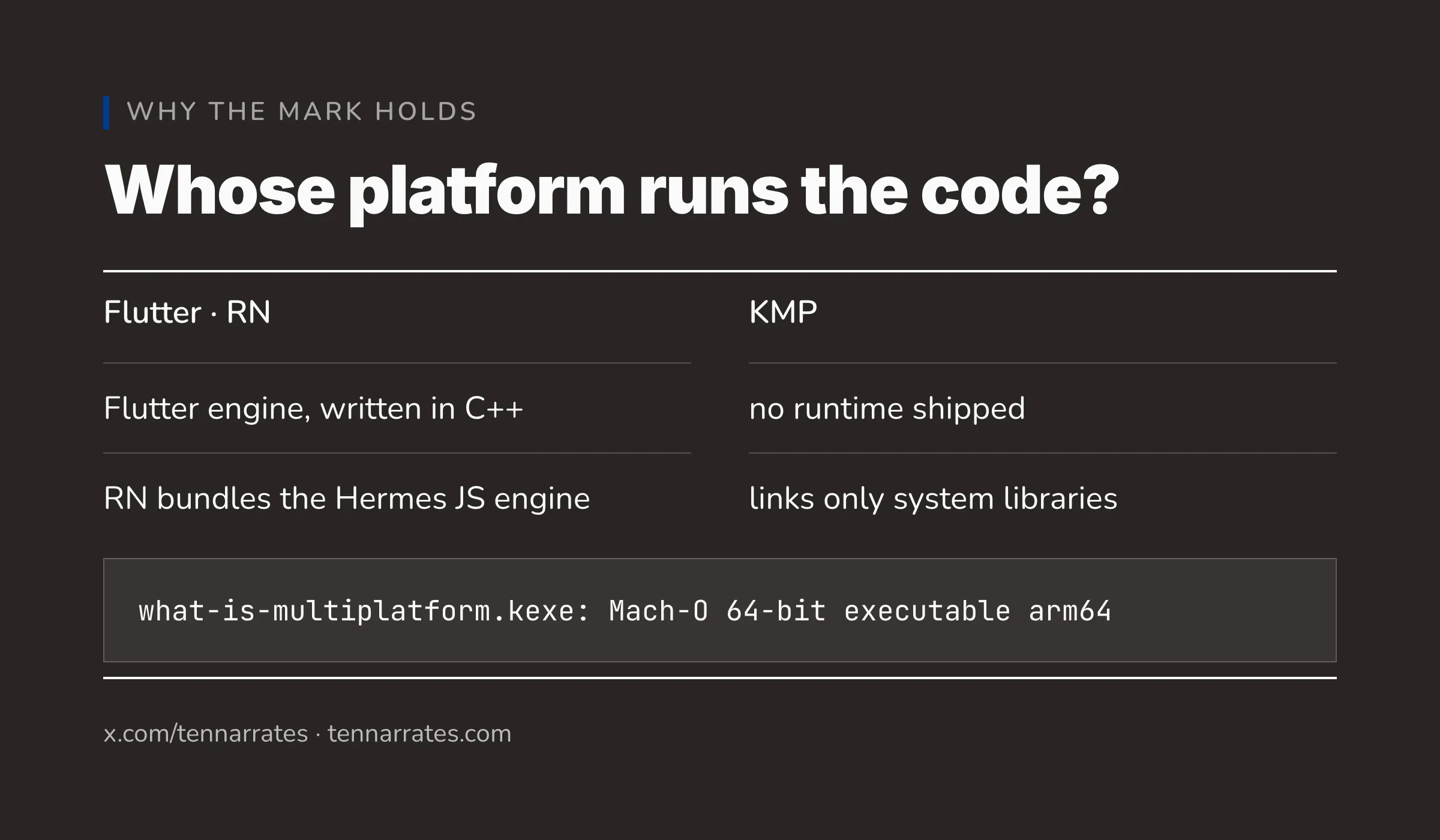
This brings us to the fundamental difference between KMP and other cross-platform tools. The difference is this: whose platform runs the code?
Flutter and React Native use a “carried platform” model. When you build a Flutter app, you are not just shipping your code; you are shipping the Flutter engine (written in C++) and the Dart runtime. When the app starts, it boots this engine, which then creates a rendering surface and runs the Dart code inside a “Dart isolate.” The app is essentially running on a Flutter-branded operating system that happens to be sitting on top of iOS or Android.
React Native does something similar. It bundles a JavaScript engine (like Hermes) inside the app. Your logic runs inside that bundled engine, which then communicates with the native UI components of the OS.
KMP uses a “borrowed platform” model. It does not ship a rendering engine. It does not ship a language runtime. It produces an artifact that the platform already knows how to run.
If you produce a native binary for macOS using KMP and inspect its dependencies using otool -L, you will see that it links only to the system libraries provided by Apple, such as libSystem and Foundation.
  build/bin/macosArm64/debugExecutable/what-is-multiplatform.kexe:
  	/usr/lib/libSystem.B.dylib (compatibility version 1.0.0, current version 1359.0.0)
  	/usr/lib/libc++.1.dylib (compatibility version 1.0.0, current version 2200.27.0)
  	/usr/lib/libobjc.A.dylib (compatibility version 1.0.0, current version 2280.0.0)
  	/System/Library/Frameworks/Foundation.framework/Versions/C/Foundation (compatibility version 300.0.0, current version 5027.0.69)
  	/System/Library/Frameworks/CoreFoundation.framework/Versions/A/CoreFoundation (compatibility version 150.0.0, current version 5027.0.69)
There is no “KMP Runtime” binary bundled inside the app. The code runs directly on the OS, or on the VM (like the JVM or V8) that the user already has installed.
This is why KMP is multiplatform in the true sense. It does not introduce a new layer of abstraction between your code and the machine. It leverages the existing toolchains of the platforms it targets.
One source, many targets, and platform-native artifacts. This is the foundation that allows you to share logic without sacrificing the performance, look, and feel of a truly native application.